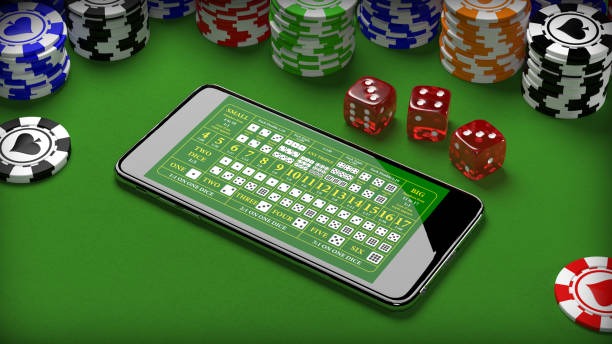

LOBBY
Game Finder
Use category tabs and search to move between slots, live tables and Fishing God.
toto9 brings Live Baccarat, Fishing God, slots and sportsbook markets into one account, with DANA and QRIS status visible near the cashier.
Access is available only where local law permits.
Casino and slots open from the primary lobby row, where search and category filters help you narrow the catalogue on a phone or computer.

Casino and slots appear first, followed by live tables, Fishing God rooms and direct access to football, badminton and basketball markets.
Pragmatic Play, PG Soft and Habanero sit alongside regional studios, giving you recognisable names when filtering casino and slot categories.
DANA, OVO, GoPay and QRIS appear as separate cashier choices, so you select the rail that matches your account rather than guessing from a generic wallet button.
Several areas remain useful after your first home visit. The game finder narrows a crowded lobby, the cashier records transfer status, and account support handles access questions.
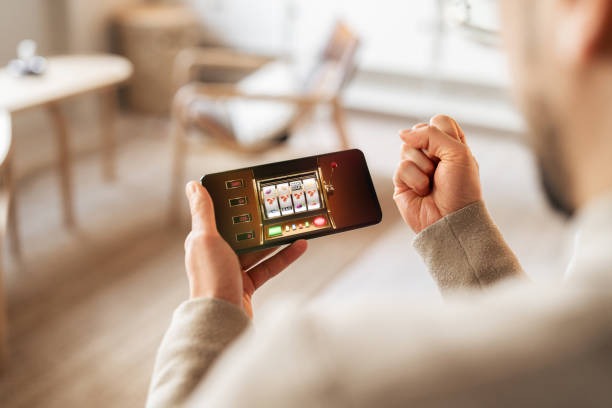


A clear account path helps you reach the home lobby without guessing which screen comes next.
Support sits close to the two places where you are most likely to need it: account access and the cashier. Live chat handles active login, verification and transfer-status questions. Email is suited to cases requiring a payment receipt or a detailed sequence of events. The mobile help route opens from the compact navigation, so you do not need to leave the browser or search through game categories.
Use live chat when phone verification, login or wallet status stops progressing. Share the account identifier and visible status, but never send your password or verification code.
Choose email when a DANA, OVO, GoPay, QRIS or bank case needs a receipt and written explanation. Include the request time, rail and reference shown by your provider.
Open support from the mobile navigation while keeping the relevant account or cashier screen available. This makes it easier to describe the exact step and status you can see.
The mobile site keeps login, wallet status and lobby categories in one browser path, with no separate application required.
Account protection begins before the lobby opens. We require phone verification during setup and may ask for confirmation when access changes device or session context.
A current phone number supports the verification step before account access. Complete the prompt through the account path and contact live chat if the code or status does not progress.
Watch for confirmation prompts when moving to another device or returning after a session ends. An unexpected access request should be closed and reported through our support route.
Use a password created only for this account and do not share verification codes. Our support team does not need your password to inspect a login or wallet-status case.
Open the game details to read studio data, table conditions and feature behaviour. Clear rules help you distinguish normal game mechanics from an account or device issue.
A direct brand home gives you consistent account, game and support paths. Scattered offline recommendations, copied addresses or screenshots may omit current wallet status, policy links or category…
Return-to-player data, table rules and feature descriptions come from the game or studio details available for each title. These figures describe long-run game design rather than the result of one session.
Check the studio panel for the stated return figure, feature rules and stake range. Different slot versions can carry different settings, so match the title and provider.
Table details show available betting positions and table conditions before entry. Live results come from the streamed dealer table rather than a slot-style return sequence.
Rule variations can affect long-run mathematical return. Read the table panel for dealer actions, side options and other conditions before selecting a seat.
The game panel explains the card comparison and available positions. Check those rules before joining because side selections do not share the same mathematical profile.
Fishing rounds use their own controls, values and feature behaviour. Read the title panel and confirm the selected room rather than applying slot or table assumptions.
Our browser-based home serves compatible phones, tablets and computers across Indonesia where local law permits. Your connection and payment provider can affect whether a wallet request or game stream is available at a particular moment. In Yogyakarta, as elsewhere in supported regions, you use the same phone-verification, lobby and cashier route. We do not use city-specific account pages, so confirm eligibility, device compatibility and the status of your chosen payment rail before continuing.
Six practical elements shape the experience from your first visit: a verifiable account route, searchable casino categories, dealer tables, Indonesian wallet choices, mobile navigation and reachable…
Account setup uses your supplied details and a phone-verification prompt before access. The sequence remains separate from game launch controls, helping you recognise each required step.
Slot search sits beside category filters on mobile and wider screens. Use the title or studio name to narrow the catalogue instead of moving through unrelated game pages.
Live Baccarat, roulette, blackjack and Dragon Tiger context sits in the live casino area. Table panels show the relevant rules and entry details before you join.
DANA, OVO, GoPay and QRIS have distinct cashier selections and status records. Bank transfer and virtual account routes provide additional context for BCA, BRI, Mandiri and BNI.
Phones use a compact category path, while tablets and computers reveal more cards at once. Your account, wallet status and support route remain connected across layouts.
Live chat addresses active access issues, email accepts receipts and detailed cases, and mobile help stays near the account path. Each route serves a clear operational purpose.
These answers cover the questions you may ask before using the toto9 home: what sits inside the lobby, how account verification works, which Indonesian payment rails appear, how mobile access behaves and where to find help. They also explain receipt status and regional access without making assumptions about your account, provider or location.
Begin with the category row if you want casino, slots, live tables, Fishing God or sportsbook markets.
Select casino or slots first, then narrow the catalogue by category, title or studio.
Use the account area for setup, phone verification and session checks.
Choose the exact wallet or bank rail, submit the requested details and retain the provider receipt.
Open terms and privacy wording from the footer, or select live chat, email or mobile help for an operational question.